 SEO & Content
 Paid Media
 Social Media
 Design & Development
 Branding
 Lead Generation
 White Label




In the crowded online space, it's easy for potential customers to get distracted and forget about your brand. Even if they've shown interest, how do you keep them coming back? The key lies in retargeting ads, a strategy designed to re-engage visitors who didn’t convert the first time around.
Retargeting, also known as remarketing, is a powerful digital marketing strategy that focuses on bringing back visitors who have previously interacted with your website or app but did not complete a desired action, like making a purchase or filling out a form. By showing tailored ads to these potential customers across different channels, you can increase your conversion rates and maximize your ROI.
What Is Retargeting?
Retargeting is a form of online advertising that helps re-engage users who have visited your site but didn’t convert. Through cookies or pixels, businesses can track visitors’ behaviors, such as pages viewed, items added to carts, or time spent on the site. This data allows businesses to display highly relevant ads to those users as they browse other sites or social media, reminding them of their interest in your brand.
Why Retargeting Ads Are Crucial for Conversions
Before diving into how to create an effective retargeting campaign, let's understand why it works so well for boosting conversions:
-
Targeting Warm Leads: When you retarget someone who has already interacted with your brand, you’re dealing with a warm lead. They’ve shown some level of interest, meaning they are more likely to convert compared to a cold lead.
-
Staying Top of Mind: Retargeting keeps your brand visible to potential customers. Even if they didn’t make a purchase or take the desired action initially, seeing your brand repeatedly can drive them to reconsider.
-
Highly Relevant Ads: Because retargeting ads are based on a user’s previous interaction with your website or app, they are highly personalized and relevant, making them more effective than general display ads.
How to Set Up a Retargeting Ads Campaign
Now that we know why retargeting is essential, let’s go over how to set up an effective campaign.
1. Define Your Goals
Before you create your retargeting campaign, you need to define clear goals. Are you aiming to increase purchases, get more sign-ups, or drive traffic to a specific page? Your goals will dictate the type of retargeting ads you use.
-
Conversion Retargeting: Target visitors who have abandoned their cart or those who viewed a product but didn’t purchase. Ads can remind them about their abandoned cart and offer incentives like discounts or free shipping to entice them to complete the purchase.
-
Engagement Retargeting: Target users who have interacted with your brand on social media or visited specific blog posts or content. These visitors have already expressed interest in your content, so you can use this opportunity to guide them toward a conversion.
-
Brand Awareness Retargeting: If you are trying to grow your brand presence, consider running retargeting ads to people who’ve visited your site but haven't yet interacted with key conversion points.
2. Install Retargeting Pixels or Tags
To run a retargeting campaign, you need to install a pixel or tracking tag on your website. This is a small snippet of code provided by platforms like Facebook, Google, or other ad networks. Once installed, the pixel tracks visitors’ behavior on your website, such as which pages they viewed, how long they stayed, and if they took any specific actions.
For example:
-
Google Ads: Google uses the Google Ads Pixel to track visitor behavior. Once users visit your site, the pixel helps you serve tailored ads to them across the Google Display Network (GDN).
-
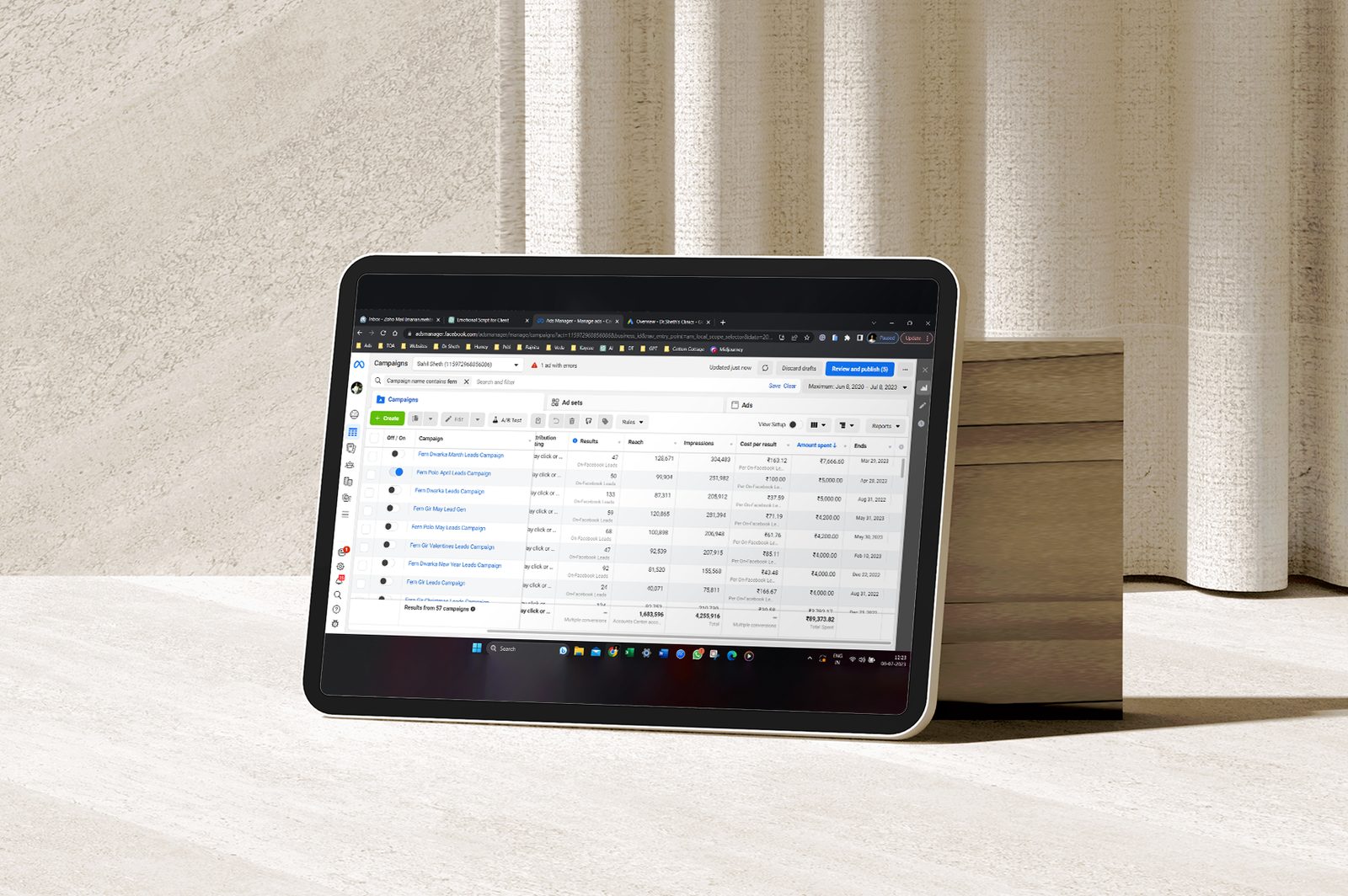
Facebook Ads: Facebook’s Facebook Pixel lets you track actions on your website and create custom audiences based on those actions, including past website visitors or those who have interacted with your Facebook page.
3. Segment Your Audience
One of the key benefits of retargeting ads is the ability to segment your audience based on their behavior. The more granular your audience segmentation, the more personalized your ads can be.
Here are some common audience segments for retargeting:
-
Cart Abandoners: These are users who added products to their cart but left without completing the checkout. Tailor your ads to remind them about the items they left behind, possibly offering a discount or free shipping as an incentive to complete the purchase.
-
Product Viewers: Users who viewed specific products but didn’t purchase can be targeted with ads featuring those same products or related items.
-
Engaged Visitors: If someone visited your website and spent time reading blog posts or engaging with content, but didn’t convert, retarget them with additional content that nudges them closer to a conversion.
-
Past Purchasers: Retarget users who made a purchase but are unlikely to return unless prompted. Show them new products, special offers, or loyalty rewards to increase the chances of repeat purchases.
4. Design Engaging Ads
The success of your retargeting campaign depends not only on reaching the right audience but also on creating compelling, attention-grabbing ads. Here are a few tips:
-
Use Dynamic Ads: If you’re running an e-commerce store, use dynamic retargeting ads to show the exact products that visitors viewed on your website. This keeps the ad highly relevant and increases the chances of conversion.
-
Use Clear Calls-to-Action (CTA): Make sure your ads have a clear and compelling CTA, whether it’s “Shop Now,” “Learn More,” or “Get 20% Off.”
-
Offer Incentives: Offering discounts, free shipping, or a limited-time offer can motivate users to act on their intentions and complete a purchase.
-
Keep the Design Consistent with Your Brand: Ensure that your retargeting ads align with your brand’s identity in terms of colors, fonts, and tone to maintain a cohesive experience across all touchpoints.
5. Optimize Your Campaigns
Once your retargeting campaign is live, it’s time to monitor its performance. Regularly check the key metrics such as click-through rate (CTR), conversion rate, and return on ad spend (ROAS). If your ads aren’t performing as well as expected, make adjustments.
Here are some optimization tips:
-
Test Different Ad Variations: A/B test your retargeting ads by changing headlines, images, and CTAs to find what resonates most with your audience.
-
Adjust Frequency: Show your ads too often, and it can annoy potential customers. Show them too infrequently, and you may miss out on conversions. Find the right balance for your audience.
-
Refine Segments: If certain segments aren’t converting, adjust your targeting to focus on users who are more likely to engage with your brand.
6. Leverage Multiple Platforms
While Google Ads and Facebook are two of the most popular platforms for retargeting, you can also expand your reach by using platforms like Instagram, LinkedIn, or even YouTube. By diversifying the platforms you use, you increase the chances of staying top-of-mind for your audience.
How Does a Retargeting Ad Campaign Work?
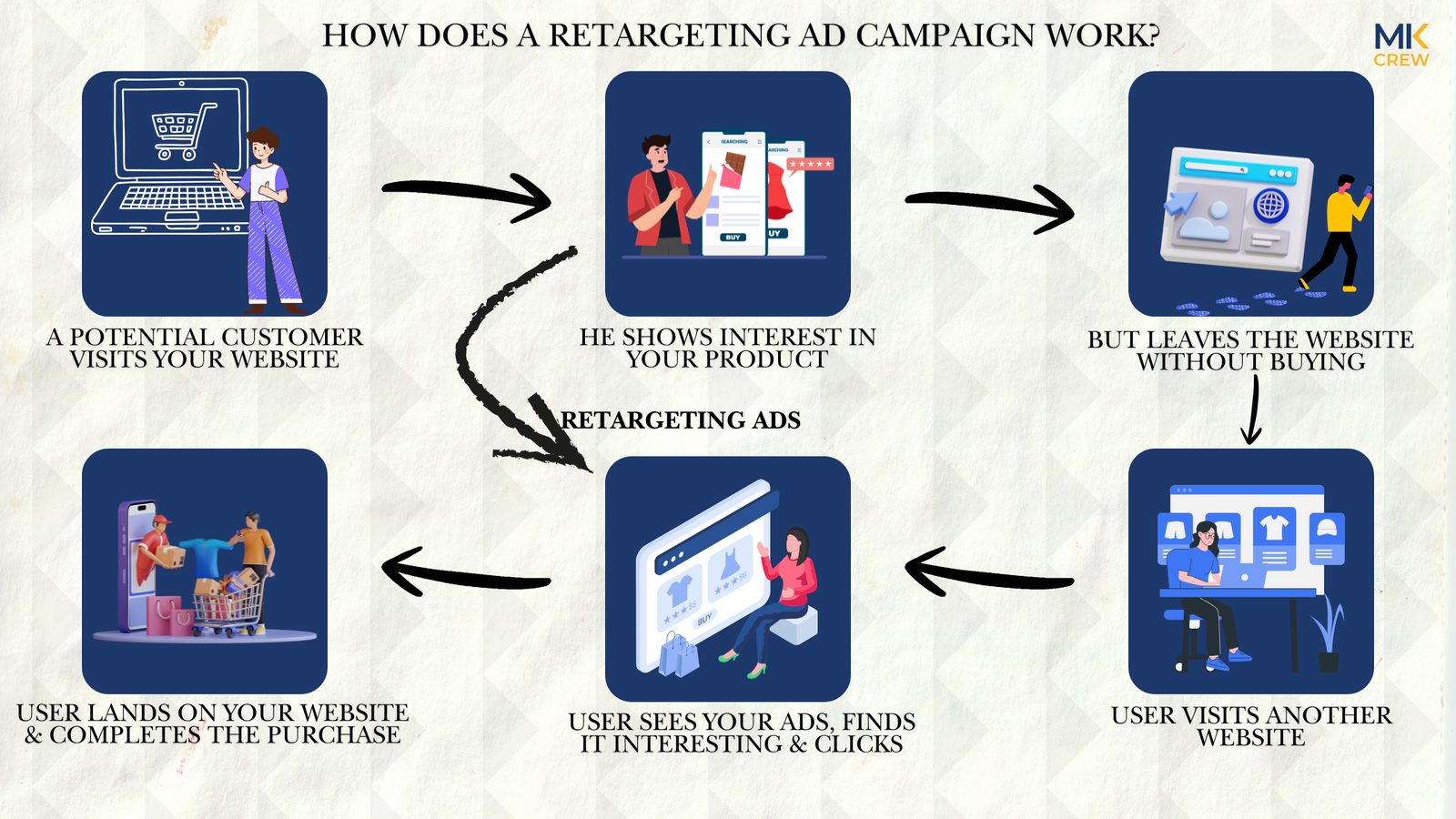
At its core, a retargeting ad campaign works by leveraging cookies or tracking pixels that monitor visitors' behavior on your website. Here’s a step-by-step breakdown of how it works:
-
Tracking Website Visitors: The first step in any retargeting campaign is setting up a tracking pixel (such as the Facebook Pixel or Google Tag) on your website. This pixel is a small piece of code that tracks visitors to your site and gathers data on their interactions, such as pages visited, items viewed, or actions taken.
-
Creating Custom Audiences: Once the pixel is installed, you can use the data collected to segment your website visitors into different groups based on their behavior. For instance, you could create custom audiences for people who abandoned their shopping cart, users who browsed specific product categories, or those who have visited your homepage but didn’t take further action.
-
Serving Ads to Targeted Audiences: After identifying your audience segments, you can create tailored ads and serve them to the visitors on other platforms like Facebook, Instagram, or Google Display Network. For example, a visitor who abandoned their cart could see an ad showcasing the items they left behind, accompanied by an incentive like a discount to encourage them to complete their purchase.
-
Personalization and Frequency: The beauty of retargeting lies in personalization. Ads can be designed to highlight the exact products or services the user viewed. Additionally, by tracking how frequently a user sees your ads, you can control the ad frequency to avoid overwhelming them. This ensures your brand remains top of mind without becoming annoying.
-
Optimizing for Conversions: As the retargeting campaign runs, it's crucial to monitor performance. You can adjust targeting, messaging, and frequency based on key metrics like click-through rate (CTR), conversions, and return on ad spend (ROAS). Continuous optimization ensures that your ads are as effective as possible.
Conclusion
Retargeting ads are a powerful way to boost conversions by focusing on people who have already shown an interest in your brand. By creating a strategy that includes clear goals, audience segmentation, compelling ad design, and ongoing optimization, you can significantly improve your ad performance and drive better ROI.
Implementing a successful retargeting campaign requires careful planning and execution, but when done right, it’s one of the most effective ways to bring back lost visitors and convert them into loyal customers. Start retargeting today and watch your conversions soar.